
A collaborative AI coding environment is a shared workspace where multiple developers and AI agents work on the same codebase at the same time. The industry term for the broader practice is AI programming collaboration, and it covers everything from cloud-based multi-user IDEs to agent orchestration platforms that coordinate fleets of AI workers. Triadic Human-Human-AI collaboration reduces blind reliance on AI code and increases peer engagement, making accountability a structural feature rather than an afterthought. Teams that get this right ship faster, catch more bugs, and keep humans firmly in control of the final output.
What are the main types of collaborative AI coding environments?
Three architectural categories define the field: cloud-based multi-user IDEs, peer-to-peer local-first workspaces, and agent orchestration platforms that integrate with existing IDEs. Each solves a different problem, and choosing the wrong one creates friction that compounds over time.
Cloud-based multi-user IDEs run on centralized servers. Every developer connects through a browser or thin client, and the server handles compute, storage, and synchronization. The upside is zero local setup. The downside is latency, vendor lock-in, and data leaving your network.

Peer-to-peer local-first workspaces run directly on developer machines. They use protocols like Hyperswarm DHT to connect peers without a central server, which eliminates subscription costs and keeps code local. The tradeoff is that cross-machine state sync requires more deliberate configuration.
Agent orchestration platforms sit above your IDE. They manage fleets of AI agents, assign tasks, handle file leasing, and coordinate merges. Agentcohort fits this category, integrating agents like Claude Code and OpenAI Codex into a single multi-terminal grid where each project gets its own dedicated environment.
| Architecture type | Key strength | Main limitation |
|---|---|---|
| Cloud-based multi-user IDE | Zero local setup, instant sharing | Latency, data leaves your network |
| Peer-to-peer local-first | No server costs, code stays local | Manual state sync configuration |
| Agent orchestration platform | Manages AI agent fleets, prevents conflicts | Requires integration with existing tools |
Pro Tip: If your team handles sensitive code, start with a peer-to-peer or on-premise orchestration setup. Moving data to a third-party cloud later is harder than keeping it local from day one.
How to implement coordination and conflict management in AI-assisted coding
The biggest technical failure in multi-agent coding is the diff collision. This happens when two agents edit the same file without any separation layer, and one overwrites the other's work. The fix is architectural, not behavioral.
-
Use isolated git worktrees per task. Isolated git worktrees let multiple agents work on the same repository concurrently without touching each other's active checkouts. Each task gets its own branch and directory. Merges only happen after a human review gate approves the work.
-
Implement file leasing with time-to-live. Atomic Redis-backed Lua scripts create 5-minute file leases with auto-refresh. An agent that crashes releases its lease automatically, so no file stays locked permanently. This is the difference between a recoverable incident and a lost afternoon.
-
Define a structured task lifecycle. Tasks should move through explicit states: todo, in_progress, review, merging, done. Structured lifecycle phases reduce human bottlenecks because agents request clarifications instead of guessing implementations.
-
Synchronize cross-machine state without git pull. Agents share file snapshots through a coordination layer rather than relying on git pull for every update. This keeps state consistent across machines without creating merge conflicts from partial pulls.
-
Set review gates before any merge. No AI-generated code merges to the main branch without a human reviewing the diff. This is not optional. It is the mechanism that keeps the triadic model accountable.
Pro Tip: Configure your lease TTL to match your longest expected agent task. A 5-minute TTL works for most code generation tasks, but complex refactors may need 15 minutes with active refresh pings every 2 minutes.
What tools and frameworks support AI programming collaboration?
The tooling landscape breaks into three functional layers: coordination services, orchestration frameworks, and the AI agents themselves. Teams that treat these as separate concerns build more maintainable systems.
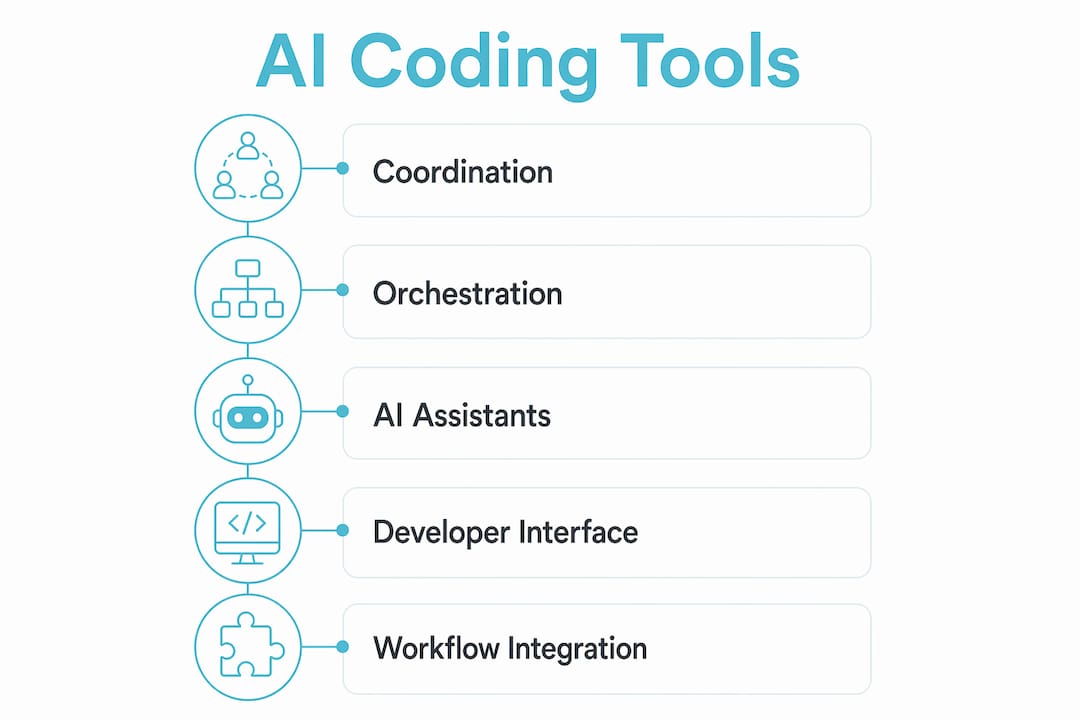
Coordination services handle the low-level work: file leasing, state sync, and conflict detection. A Redis-based coordination layer with atomic Lua scripts is the current standard for teams running more than two agents concurrently. Without this layer, agents overwrite and duplicate work in ways that are hard to debug after the fact.
Orchestration frameworks manage the workflow phases. They assign tasks, track lifecycle states, and surface agent output for human review. The best frameworks support multiple agent types and expose their reasoning transparently so developers can validate suggestions rather than accept them blindly.
AI agents are the workers. Claude Code and OpenAI Codex represent the current generation of capable coding agents. Agentcohort integrates both into a single workspace, handling authentication and installation automatically so teams spend time on code rather than configuration.
Key criteria for evaluating any tool in this stack:
- Open architecture. Proprietary lock-in at the coordination layer is a long-term liability.
- Local processing option. Teams with compliance requirements need agents that can run without sending code to external APIs.
- Session persistence. Agents that lose context on disconnect waste time re-establishing state.
- Customizable layouts. Different teams have different review workflows. A fixed UI creates friction.
IBM notes that AI pair programming unifies coding standards and breaks down silos in scaling teams. That benefit only materializes when the tooling enforces shared conventions rather than leaving each developer to configure their own agent setup.
How to integrate collaborative coding environments in existing workflows
Adopting a collaborative development platform is as much a cultural change as a technical one. Teams that treat it as a pure tooling swap fail within weeks. Teams that redesign their workflow around the triadic model succeed.
The triadic model makes AI use visible to all human participants. Triadic collaboration increases developer trust and reduces blind acceptance of AI output because both humans can see what the AI suggested and why. That visibility is the foundation of the model.
Practical steps for integration:
- Map your current workflow first. Identify where context switches happen, where merge conflicts are most frequent, and where code review creates bottlenecks. These are the insertion points for AI agents.
- Train teams on the three lifecycle phases. Intent definition, parallel execution, and review are distinct phases with distinct responsibilities. Mixing them creates confusion about who owns what.
- Connect to existing CI/CD pipelines. AI-generated code should pass the same automated tests as human-written code. Gate merges on CI success, not just human approval.
- Make AI suggestions transparent. Agents should surface their reasoning in the review interface. Socially shared regulation keeps humans as final gatekeepers and prevents the gradual erosion of developer judgment.
Pro Tip: Run a two-week pilot with one team and one project before rolling out to the whole organization. Measure merge conflict frequency and review cycle time before and after. The data makes the case for broader adoption far better than any internal pitch.
What are common challenges in collaborative AI coding environments?
Even well-designed systems hit predictable failure modes. Knowing them in advance cuts resolution time significantly.
-
Race conditions despite locks. Leases reduce race conditions but do not eliminate them. Agents that refresh leases too slowly create overlap windows. Audit your TTL and refresh interval together, not separately.
-
CI gate failures on AI-generated code. AI agents optimize for passing tests they know about. They miss edge cases in tests added after their training cutoff. Treat CI failures from AI code as a signal to update your agent's context, not just fix the test.
-
AI proactivity causing disruption. Proactive AI interventions work best when triggered after idle periods rather than interrupting active work. Configure your agents to offer hints during natural pauses, not mid-keystroke.
-
Data privacy in distributed collaboration. Every coordination layer that touches your code is a potential data exposure point. Audit what each service sends externally and enforce data residency requirements at the infrastructure level, not the application level.
The teams that struggle most with collaborative AI coding are not the ones with the hardest technical problems. They are the ones that skipped the coordination layer and assumed shared folders would be enough.
Key takeaways
A collaborative AI coding environment succeeds when coordination protocols, structured lifecycle phases, and triadic accountability work together as a system rather than as separate add-ons.
| Point | Details |
|---|---|
| Choose the right architecture | Match your environment type to your team's security, latency, and cost requirements before committing. |
| Use file leasing with TTL | Redis-backed atomic leases with auto-refresh prevent overwrites and recover gracefully from agent crashes. |
| Isolate tasks with git worktrees | Separate worktrees per task eliminate diff collisions and enforce human review before any merge. |
| Adopt the triadic model | Making AI use visible to both human collaborators reduces blind trust and improves code validation. |
| Integrate with CI/CD from day one | AI-generated code must pass the same automated gates as human-written code, no exceptions. |
The coordination layer is the part teams skip
Most teams I have seen fail at AI programming collaboration make the same mistake. They add AI agents to their existing workflow and assume the workflow will adapt. It does not. The agents start stepping on each other within days.
The coordination layer is not glamorous. File leasing, TTL configuration, and worktree management do not show up in product demos. But they are the difference between a multi-agent setup that ships code and one that generates debugging sessions. I have watched teams spend two weeks untangling merge conflicts that a Redis lease would have prevented in the first place.
The triadic model is the other piece that gets underestimated. Developers worry that adding AI to a team collaboration will reduce human engagement. The research shows the opposite. When both human developers can see what the AI suggested, they engage more critically with the output. The AI becomes a shared artifact to evaluate, not a black box to trust.
My practical advice: build the coordination layer before you add the second agent. One agent with no coordination is fine. Two agents with no coordination is a race condition waiting to happen. Three agents with no coordination is chaos. Get the infrastructure right first, then scale the fleet.
— Ben
Agentcohort as your AI agent command deck
Teams ready to move from single-agent experiments to full multi-agent workflows need a platform that handles coordination without requiring custom infrastructure.
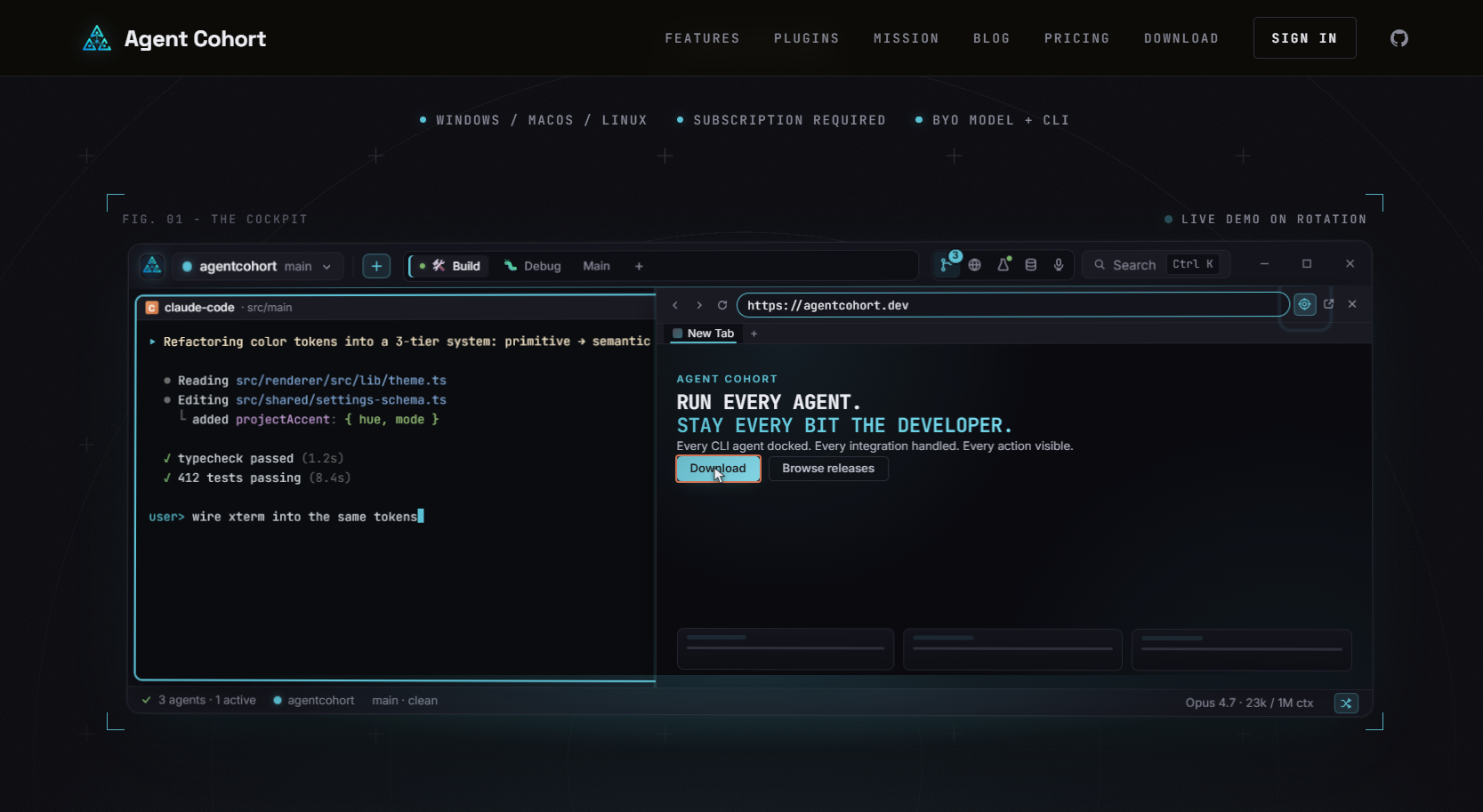
Agentcohort provides a developer command deck that integrates Claude Code, OpenAI Codex, and other agents into a single multi-terminal grid. Each project gets its own dedicated environment with session persistence and customizable layouts. Authentication and installation happen automatically, so teams configure their workflow once and focus on shipping. Agentcohort manages the lifecycle phases, from intent definition through parallel execution to review, keeping humans in control at every merge point.
FAQ
What is a collaborative AI coding environment?
A collaborative AI coding environment is a shared workspace where multiple developers and AI agents work on the same codebase simultaneously, using coordination protocols to prevent conflicts and maintain code quality.
How does file leasing prevent conflicts in multi-agent coding?
File leasing assigns temporary ownership of a file to one agent at a time using a time-to-live mechanism. If the agent crashes, the lease expires automatically and another agent can claim the file without permanent locks.
What is the triadic Human-Human-AI collaboration model?
The triadic model adds an AI agent as a third participant in a two-developer coding session. Both humans can see the AI's suggestions, which increases accountability and reduces blind acceptance of AI-generated code.
How do isolated git worktrees help AI agent teams?
Isolated git worktrees give each AI task its own branch and directory within the same repository. Agents work without touching each other's checkouts, and merges only happen after a human review gate approves the diff.
Can collaborative AI coding environments work with existing CI/CD pipelines?
Yes. AI-generated code should pass the same automated tests as human-written code. Connecting your agent orchestration platform to your existing CI/CD pipeline enforces this standard at the infrastructure level.