
AI-assisted debugging is defined as the practice of using AI agents to analyze code errors, generate testable hypotheses, apply targeted fixes, and verify results without requiring a full engineering team. For solo developers, this changes everything. A structured multi-agent pipeline can resolve production bugs in 3–5 minutes, cutting manual debugging time by up to 30% at a total cost of roughly $0.12 per bug. Understanding how AI agents assist with code debugging solo means understanding three core capabilities: runtime-aware analysis, hypothesis-driven fixing, and automated verification.
How AI agents assist with code debugging solo: root cause analysis first
The most common mistake solo developers make is asking an AI agent to fix a bug before the bug is fully understood. AI agents work best when the bug is reproducible. Without a consistent reproduction case, the agent has no reliable signal to analyze, and a 10-second reproduction loop is more valuable than any amount of model analysis.
Once the bug reproduces consistently, the agent's first job is hypothesis generation, not code editing. A testable hypothesis states the exact condition that causes the failure and the condition that would prove it wrong. For example: "The null pointer exception occurs because the config object is not initialized before the database connection is called. If I initialize config first, the exception disappears." That is falsifiable. That is useful.

Forcing the AI agent to write down its hypothesis before touching any code is the single most reliable way to prevent confident-but-wrong changes. Testable hypotheses allow you to falsify the agent's reasoning before any fix is applied. This keeps you in control of the debugging process instead of watching the agent chase symptoms.
The key steps in this phase look like this:
- Reproduce the bug in the smallest possible context
- Ask the agent to state its hypothesis in plain language before writing any code
- Confirm or reject the hypothesis yourself using logs or a quick manual test
- Only then authorize the agent to proceed with a fix
Pro Tip: If the agent cannot produce a falsifiable hypothesis, treat that as a signal to gather more data. Ask it to write a logging script instead of a fix.
What are runtime-aware AI debugging tools and how do they work?
Traditional AI debugging relies on static source code analysis. The agent reads your file, guesses at the problem, and proposes a change. Runtime-aware debugging is fundamentally different. Tools like debug-agent and dbg connect AI agents directly to live debugger runtimes, allowing them to set breakpoints, inspect memory state, and read variable values as the program runs.
This matters because most hard bugs are not visible in source code alone. A race condition, a corrupted memory state, or an environment-specific failure only reveals itself at runtime. When an AI agent can step through live code and inspect state directly, it eliminates the guesswork that makes static analysis unreliable for complex bugs. Supported languages for these tools include Rust, Python, Go, C++, JavaScript, TypeScript, and .NET.
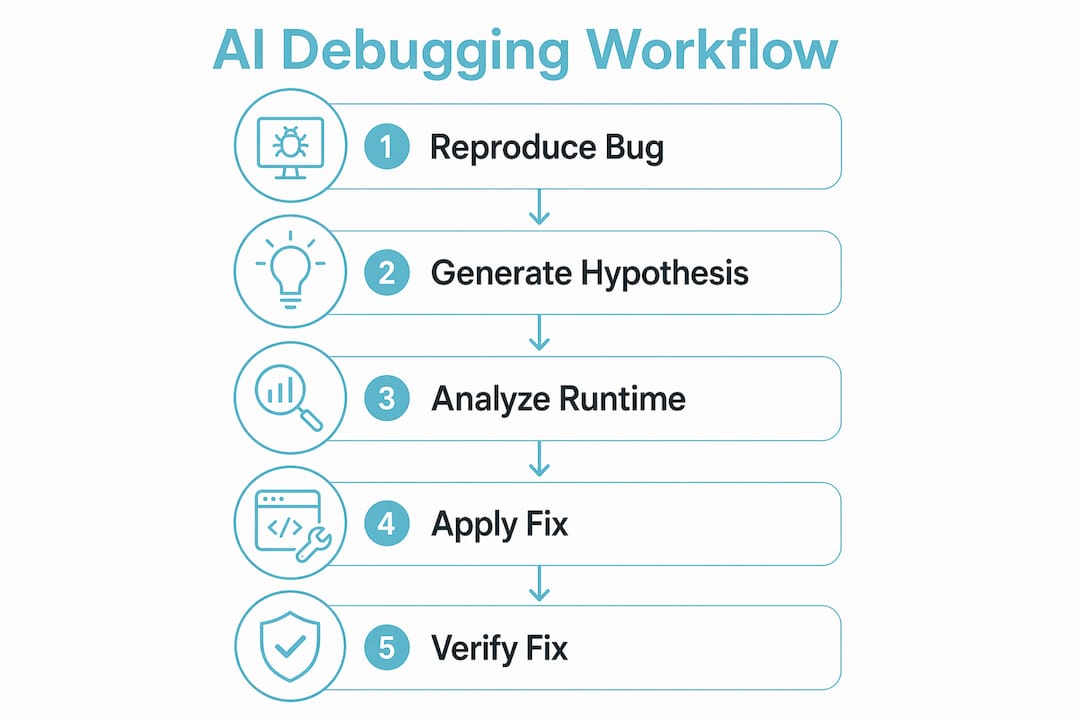
The structured multi-agent pipeline takes this further by splitting the work into three distinct roles:
| Role | Responsibility | Approximate cost |
|---|---|---|
| Analyzer | Reads logs, traces, and runtime state to identify the root cause | Free |
| Fixer | Writes the targeted code change based on the Analyzer's output | ~$0.10 |
| Verifier | Runs tests and confirms no regressions were introduced | ~$0.02 |
Separating these roles prevents a single agent from both diagnosing and fixing a bug in one pass, which is where most AI debugging failures originate. The Analyzer has no incentive to justify a fix it did not write. The Verifier has no stake in whether the fix is elegant. Each agent does one job.
Pro Tip: Run the Verifier pass even when you are confident the fix is correct. Regressions introduced by AI fixes are common and often subtle.
Best practices for solo developers using AI agents to debug code
The most effective solo debugging workflow with AI agents follows a strict two-pass structure. The first pass is observation only. The second pass is the fix. Separating logging from fixing prevents the agent from masking symptoms by patching surface-level errors while the root cause remains active.
Here is the workflow that produces the most reliable results:
- Reproduce the bug. Write a minimal script that triggers the failure every time. If you cannot reproduce it, ask the agent to generate a load test or a minimal reproduction case instead of guessing.
- Run a logging pass. Instruct the agent to add targeted logging statements only. No code changes. The goal is to surface the exact state of the program at the point of failure.
- Review the logs yourself. Read the output before handing it back to the agent. You will often spot the root cause faster than you expect.
- Generate a testable hypothesis. Ask the agent to state what it believes is wrong and how you could confirm or reject that belief.
- Apply the fix. Authorize the agent to make the change only after the hypothesis is validated.
- Verify with red-to-green testing. The red-to-green standard means new tests fail before the fix and pass after it, with no other tests broken. This is the only reliable confirmation that the fix addresses the root cause.
For solo developers who are also learning how to build AI agents into their workflows, understanding no-code AI agent construction provides useful context on how agents are structured before you start orchestrating them for debugging tasks.
Pro Tip: Keep a short debugging log for each session. Write down the hypothesis, the test result, and the final fix. This log becomes training data for your own intuition and helps you spot patterns the AI misses.
What are the real limitations of AI agents in solo debugging?
AI agents are pattern-matching systems. They perform well on common, well-documented error types: null pointer exceptions, type mismatches, missing imports, and off-by-one errors. They perform poorly on bugs that require understanding system state over time, such as race conditions, memory corruption, or environment-specific failures.
AI agents augment but do not replace developer expertise. A solo developer who hands full control to an AI agent and accepts its fixes without review is not debugging faster. That developer is accumulating technical debt at machine speed. Blind reliance on AI fixes risks code that hides symptoms without addressing the underlying cause.
The specific failure modes to watch for include:
- Confident guessing. The agent proposes a fix with high apparent certainty but without a valid hypothesis. Always require the hypothesis first.
- Symptom patching. The agent silences an error message without fixing what caused it. Red-to-green testing catches this.
- Intermittent bug blindness. Bugs that appear only under load or in specific environments are nearly invisible to agents working from static logs. Runtime tools and load test scripts are the only reliable path forward.
- Context loss. Long debugging sessions cause agents to lose track of earlier findings. Break sessions into short, focused tasks with clear written summaries.
Understanding AI system integration best practices helps solo developers set up the right guardrails before these failure modes become production incidents.
Key Takeaways
The most effective AI debugging workflow for solo developers combines runtime-aware analysis, strict phase separation, and hypothesis-driven testing to resolve bugs faster without sacrificing code quality.
| Point | Details |
|---|---|
| Reproduce before analyzing | A consistent reproduction case is required before any AI agent can provide reliable analysis. |
| Hypothesis before fix | Require the agent to state a falsifiable hypothesis before writing any code changes. |
| Separate logging from fixing | Run a logging-only pass first, then a fix pass, to avoid masking root causes. |
| Use red-to-green testing | Confirm fixes by writing tests that fail before the fix and pass after, with no regressions. |
| Know the agent's limits | AI agents handle common errors well but need developer oversight for race conditions and complex state bugs. |
What I've learned from running AI debugging workflows solo
The biggest shift in my thinking came when I stopped treating AI agents as autocomplete for bug fixes and started treating them as junior analysts who need a clear brief. The moment I required a written hypothesis before any code change, my debugging sessions became dramatically more productive. Not because the AI got smarter, but because the constraint forced both of us to think more clearly about what we actually knew versus what we were assuming.
The runtime-aware tools are genuinely different from chat-based debugging. When an agent can inspect live variable state instead of reading source code, it stops guessing. That reduction in guesswork is where the real time savings come from. The 30% efficiency gain cited in multi-agent pipeline research is real, but only if you use the pipeline correctly. Skipping the Analyzer phase and going straight to the Fixer is the most common way solo developers waste that advantage.
My honest caution: do not let the speed of AI fixes become a reason to skip verification. The Verifier role in a structured pipeline exists because AI-generated fixes introduce regressions more often than most developers expect. Treat every AI fix as a pull request from a developer you trust but have not yet reviewed. That mindset keeps the quality bar where it belongs.
The future of solo AI debugging is agents that stay coupled to your runtime across an entire session, not just a single query. That persistent context is what separates a useful debugging partner from a sophisticated search engine.
— Ben
Agentcohort: your AI debugging command center
Solo debugging with AI agents works best when your tools stay connected across sessions and your agents have dedicated, persistent environments to work in. Agentcohort integrates Claude Code, OpenAI Codex, and other agents into a single multi-terminal workspace where each project runs in its own environment.
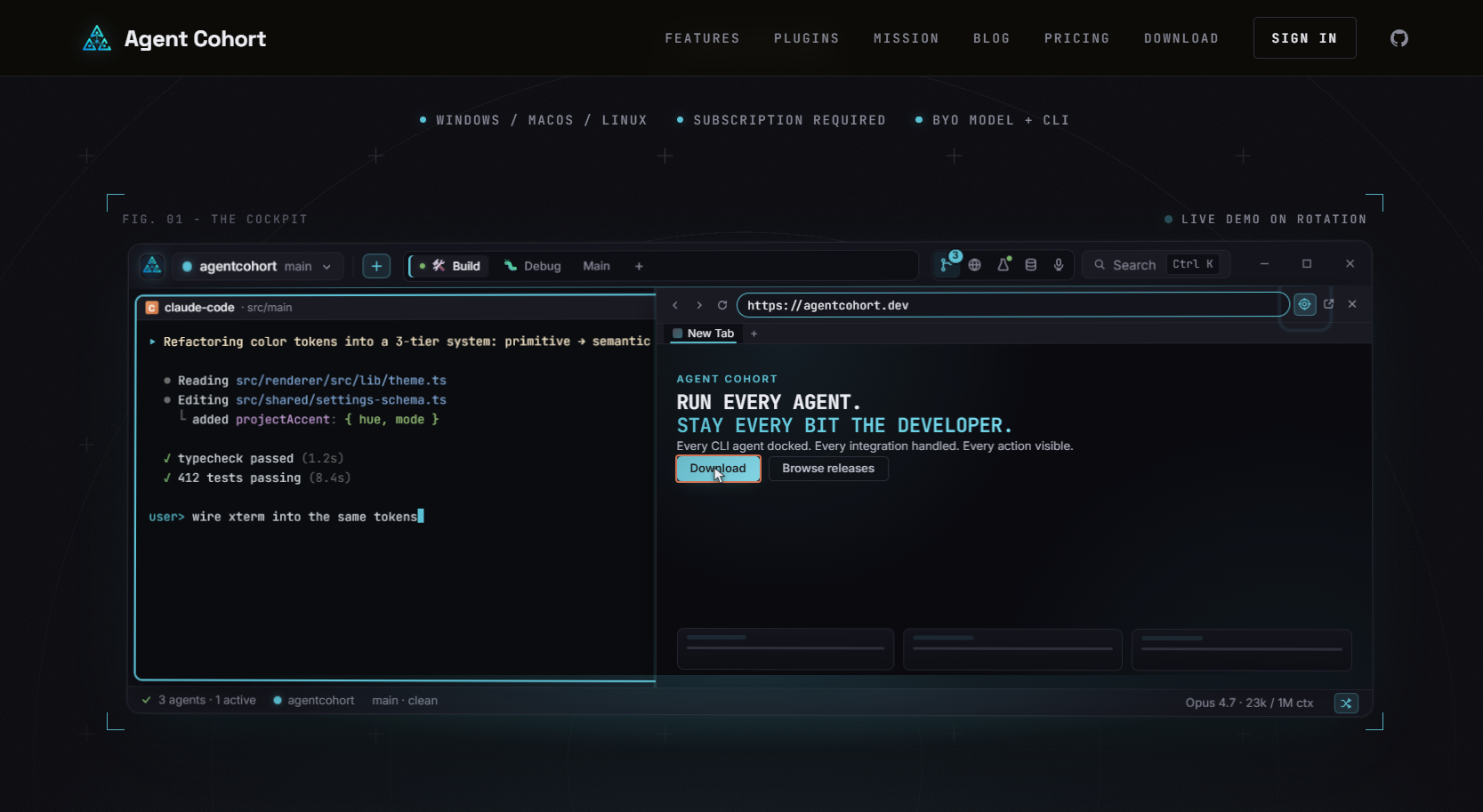
Agentcohort handles installations and authentication automatically, so you spend your time on the actual debugging work. Session persistence means your agent retains context across the full debugging cycle, from the logging pass through to verification. The developer command deck at Agentcohort is built specifically for the kind of structured, multi-agent debugging workflows described in this article. Solo developers get full visibility and control without the overhead of managing fragmented tools.
FAQ
How do AI agents assist with code debugging solo?
AI agents assist solo developers by analyzing runtime state, generating testable hypotheses, applying targeted fixes, and running verification tests. A structured multi-agent pipeline can resolve production bugs in 3–5 minutes at roughly $0.12 per bug.
What is AI-assisted debugging?
AI-assisted debugging is the use of AI agents to identify, analyze, and fix code errors through runtime inspection, hypothesis generation, and automated test verification. It differs from traditional debugging by coupling the agent directly to live program state rather than static source code.
Why should I require a hypothesis before the AI fixes my code?
Requiring a testable hypothesis before any code change prevents the agent from patching symptoms instead of root causes. A hypothesis you can falsify keeps you in control and stops confident-but-wrong changes from reaching your codebase.
What bugs are AI agents bad at fixing?
AI agents perform poorly on race conditions, memory corruption, and environment-specific failures. These bugs require understanding system state over time, which exceeds the pattern-matching capabilities of current agents without strong developer oversight.
What is red-to-green testing in AI debugging?
Red-to-green testing means writing tests that fail before the fix is applied and pass after it, with no other tests broken. This standard confirms the fix addresses the root cause rather than hiding the symptom.