title: "How Team-Based AI Tooling Works for Developers" slug: how-team-based-ai-tooling-works meta_description: "Everyone's buying AI tools. Almost nobody is building AI infrastructure. Here's why that distinction will define which teams survive 2026." author: Ben Dol tags: [multi-agent AI, team AI tooling, AI workflow, developer tools, startup AI] status: publish
Team-based AI tooling is defined as the strategic orchestration of specialized AI agents within a shared workflow architecture to multiply team output and coordinate collaborative tasks. Most teams get this wrong. They buy tools. They don't build systems. The difference between a team running at 3x capacity and one drowning in disconnected plugins is almost never the quality of the AI model. It's the architecture underneath it. Understanding how team-based AI tooling works means understanding one uncomfortable truth: generation is largely solved. Verification, coordination, and durable infrastructure are not.
Small lean teams using strategic AI automation achieve 3–5x productivity gains, compared to 20–30% for larger organizations. That gap exists because small teams move faster, own their workflows end to end, and can redesign processes without committee approval. The architecture question is not "which AI tool should we use?" It's "how do we build a system where agents hand off work reliably, maintain context without bleeding it, and stay auditable when something breaks?"
How team-based AI tooling works at the architectural level
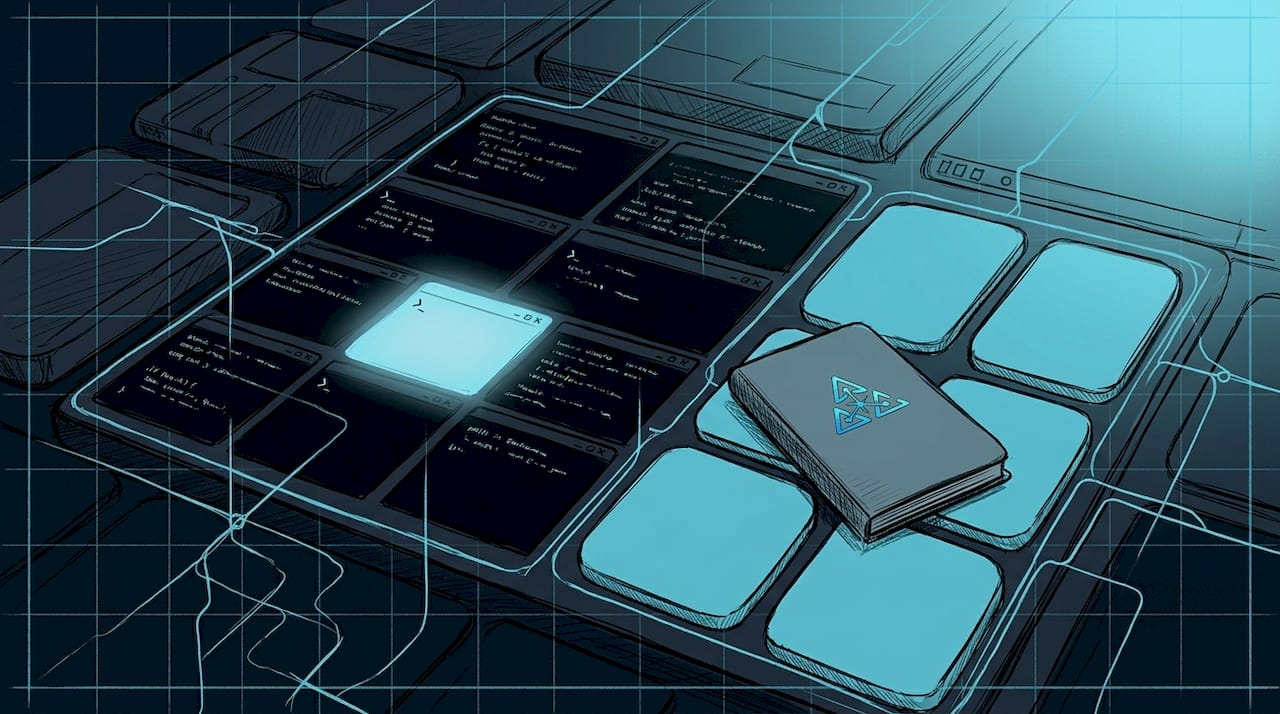
The central shift in 2026 is moving from single mega-prompts to specialized multi-agent topologies. A mega-prompt asks one agent to research, draft, review, and format a document. A multi-agent system assigns each task to a dedicated agent with its own isolated history, scoped tools, and role-specific prompt. The difference in output quality is not marginal. It's structural.
Four topologies dominate production systems today:
- Supervisor-worker: A coordinator agent routes subtasks to specialized workers and aggregates results. Best for workflows with clear task decomposition.
- Router: An intake agent classifies incoming requests and dispatches them to the right specialist. Best for high-volume, varied input types.
- Swarm: Agents collaborate peer-to-peer without a central coordinator. Powerful but harder to debug.
- Pipeline: Tasks flow sequentially through agents, each transforming the output of the last. Best for linear processes like document processing or code review chains.
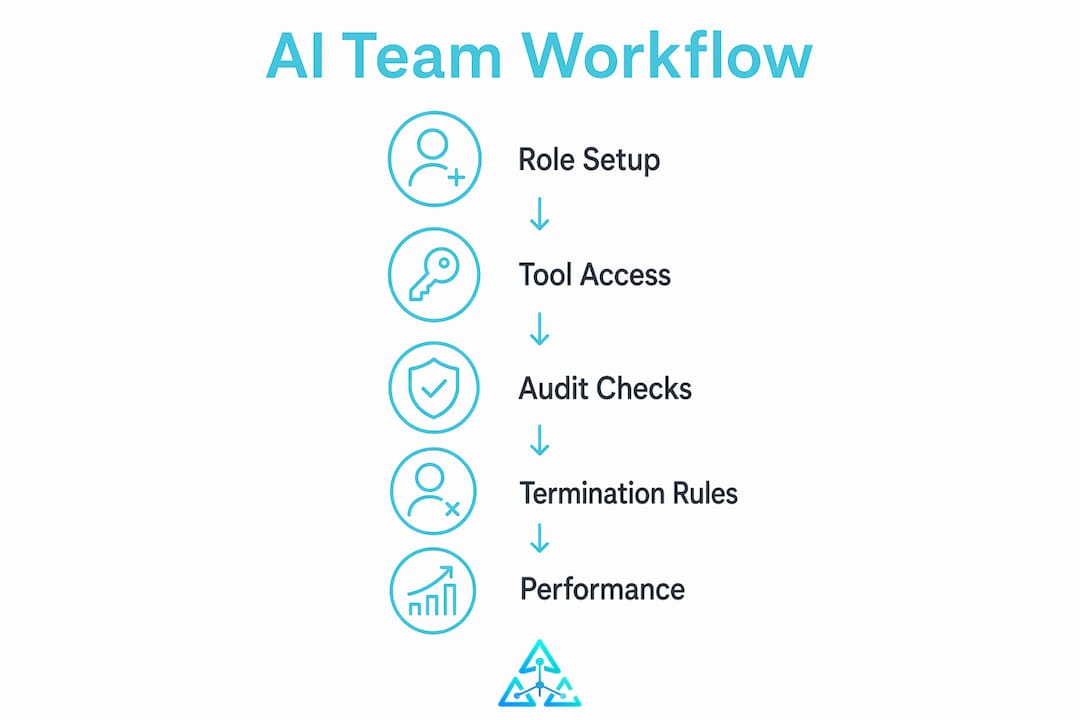
Role specialization is the core principle behind all four. Each agent gets a prompt scoped to its function, access only to the tools it needs, and no visibility into the memory of other agents. This prevents context bleeding, which is what happens when an agent trained to write marketing copy starts making architectural decisions because it absorbed too much upstream context.
Pro Tip: Scope every agent's tool access at the system level, not just in the prompt. Prompt-level restrictions are soft. System-level permissions are hard. Build the hard version.
Auditability matters as much as performance. Production-grade multi-agent systems implement termination predicates, recursion limits, and monitoring hooks to catch runaway loops before they burn through API budgets. If you can't see what your agents are doing in real time, you don't have a system. You have a black box with a monthly invoice.
For teams thinking about system architecture from the ground up, the design choices made in week one determine whether the system is maintainable in month six.
Why small teams scale faster with phased AI adoption
The 3–5x productivity number is real, but it doesn't happen by accident. It happens because small teams can run a focused 30-day pilot on a single high-frequency workflow and see results before scaling. Larger organizations spend those same 30 days in procurement.
Here is the phased approach that actually works:
- Identify one workflow near revenue. Not the most interesting workflow. The one that costs the most time per week and sits closest to a customer outcome. High-frequency, revenue-adjacent automation yields the fastest measurable impact.
- Run a 30-day pilot with a single agent or workflow. Measure before and after. Teams implementing focused pilots with AI-generated scoring rubrics have compressed review cycles from 8 hours to 45 minutes. That is not a rounding error.
- Assign a workflow owner before you scale. One person owns the prompt library, monitors outputs, and flags degradation. Without this, the system drifts silently.
- Iterate on the workflow, not the tool. Most teams swap tools when results plateau. The right move is to redesign the workflow logic. The tool is rarely the bottleneck.
- Expand to adjacent workflows only after the first one is stable. "AI tool hoarding," which is adopting ten tools before mastering one, is the fastest way to build technical debt with no ROI.
Statistic: Small lean teams using strategic AI automation achieve 3–5x productivity gains versus 20–30% for larger organizations, based on analysis of 500+ startups in 2026.
The teams that scale fastest treat AI as infrastructure, not a collection of apps. That mindset shift changes every downstream decision, from how you document workflows to how you onboard new team members.
How to build reliable AI workflows without deep developer resources
The four-layer model is the clearest mental framework for building a no-code or low-code AI workflow stack. Every workflow has a trigger, a connector, a brain, and a destination. The trigger fires the workflow. The connector moves data between systems. The brain, which is your GPT or Claude API call, processes and transforms that data. The destination receives the output.
Tools like Make and Zapier handle the trigger and connector layers well. The brain layer connects to GPT or Claude APIs through those same platforms. No-code AI workflow stacks empower small teams without deep dev skills, but they demand a developer-like mindset in data mapping and conditional logic. You don't need to write code. You need to think in structured data flows.
Three non-negotiable practices for workflow stability:
- Build a kill switch into every workflow. A single toggle that pauses the entire pipeline without deleting it. You will need this the first time an upstream API changes its response schema.
- Document the logic, not just the tool. When the person who built the workflow leaves, the documentation should let someone else maintain it without reverse-engineering every node.
- Run QA loops on a sample of outputs weekly. AI outputs drift over time as models update. Catching drift early costs minutes. Catching it after three months of bad outputs costs credibility.
Pro Tip: Build your first workflow to be boring. A reliable, auditable, slightly slow workflow beats a fast one that fails silently every time.
Even no-code stacks require mastery of structured data flows and conditional branching logic for system stability. The teams that skip this step are the ones posting in forums six months later asking why their automation "just stopped working."
What are the common failure modes in multi-agent AI systems?
Multi-agent systems fail in predictable ways. Knowing the failure modes before you build is the only way to design around them.
- Context bleeding: An agent receives too much upstream information and starts making decisions outside its role. The fix is strict isolation of agent memory and tool access at the system level.
- Handoff loops: Agent A sends a task to Agent B, which sends it back to Agent A with a slightly different framing. Without termination predicates, this runs until you hit a rate limit or a budget cap.
- Lost messages: In asynchronous multi-agent systems, messages between agents can drop or arrive out of order. Schema validation on every handoff catches this before it corrupts downstream outputs.
- Conflicting state: Two agents write to the same shared resource simultaneously. Serializing state writes, meaning one write at a time with explicit locking, prevents this class of bug entirely.
- Specialization collapse: An agent's role prompt degrades over a long conversation until it starts behaving like a generalist. Strong, repeated role anchoring in the system prompt mitigates this.
"Multi-agent orchestration failure modes include handoff loops, lost messages, conflicting state, and specialization collapse. Mitigation involves strict schema validation, serialization of state writes, and strong role prompts." — Engineering Playbook on multi-agent orchestration
Deterministic handoff protocols with explicit message structure are the single most important architectural decision in a multi-agent system. Teams that skip this step spend more time debugging than building. The conditional routing edge is the key guardrail that prevents infinite tool-calling loops within agent workflows. Build it in from day one, not as an afterthought.
Key Takeaways
Team-based AI tooling works only when specialized agents operate within a structured architecture that enforces role isolation, deterministic handoffs, and centralized workflow ownership.
| Point | Details |
|---|---|
| Architecture over tools | Multi-agent topologies like supervisor-worker and pipeline outperform single mega-prompts for complex team workflows. |
| Small teams win with focus | Lean teams achieve 3–5x gains by piloting one high-frequency workflow before scaling to others. |
| Workflow ownership is non-negotiable | Assign one person to own the prompt library and monitor outputs, or the system drifts silently. |
| Build guardrails from day one | Recursion limits, kill switches, and schema validation prevent the failure modes that kill production systems. |
| No-code requires structured thinking | Make and Zapier handle triggers and connectors, but conditional logic and data mapping demand a developer mindset. |
The part nobody tells you about building these systems
I've spent 15 years in software engineering, and the pattern I see most often is teams that over-invest in features and under-invest in infrastructure durability. They spend three weeks evaluating which AI model has the best creative writing output and three hours thinking about what happens when the model API changes its response format. That is backwards.
The hardest lesson I learned building the systems that eventually became Agentcohort: the FIRST architectural decision is the one that costs you the most if you get it wrong. Not the tenth. Not the fifth. The first. Choosing a flat, single-agent architecture because it's faster to prototype means you will rebuild from scratch when you need role specialization. And you will need it.
I'm also skeptical of the "AI-first" framing that's everywhere right now. Most teams don't need AI-first. They need workflow-first, with AI inserted at the points where it actually reduces friction. The teams I've seen fail fastest are the ones that started with the AI tool and worked backwards to find a use case. The teams that succeed start with the workflow, identify the bottleneck, and then ask whether an AI agent can own that bottleneck reliably.
One more thing: fragmented tool adoption is the silent killer. Centralized ownership avoids fragmented tool sprawl and enables durable scaling. I've watched teams run eight different AI tools across a five-person organization, with no shared documentation, no shared prompt library, and no single person who understood the full picture. That is not an AI strategy. That is chaos with a subscription fee.
Build the boring version first. Make it auditable. Make it maintainable. Then make it fast.
— Ben
Agentcohort: a command deck built from these exact scars
I'll flag my bias upfront: I built Agentcohort, so take this section with appropriate skepticism. That said, the platform exists because I couldn't find a workspace that handled multi-agent orchestration the way I described above without requiring a custom infrastructure build every time.
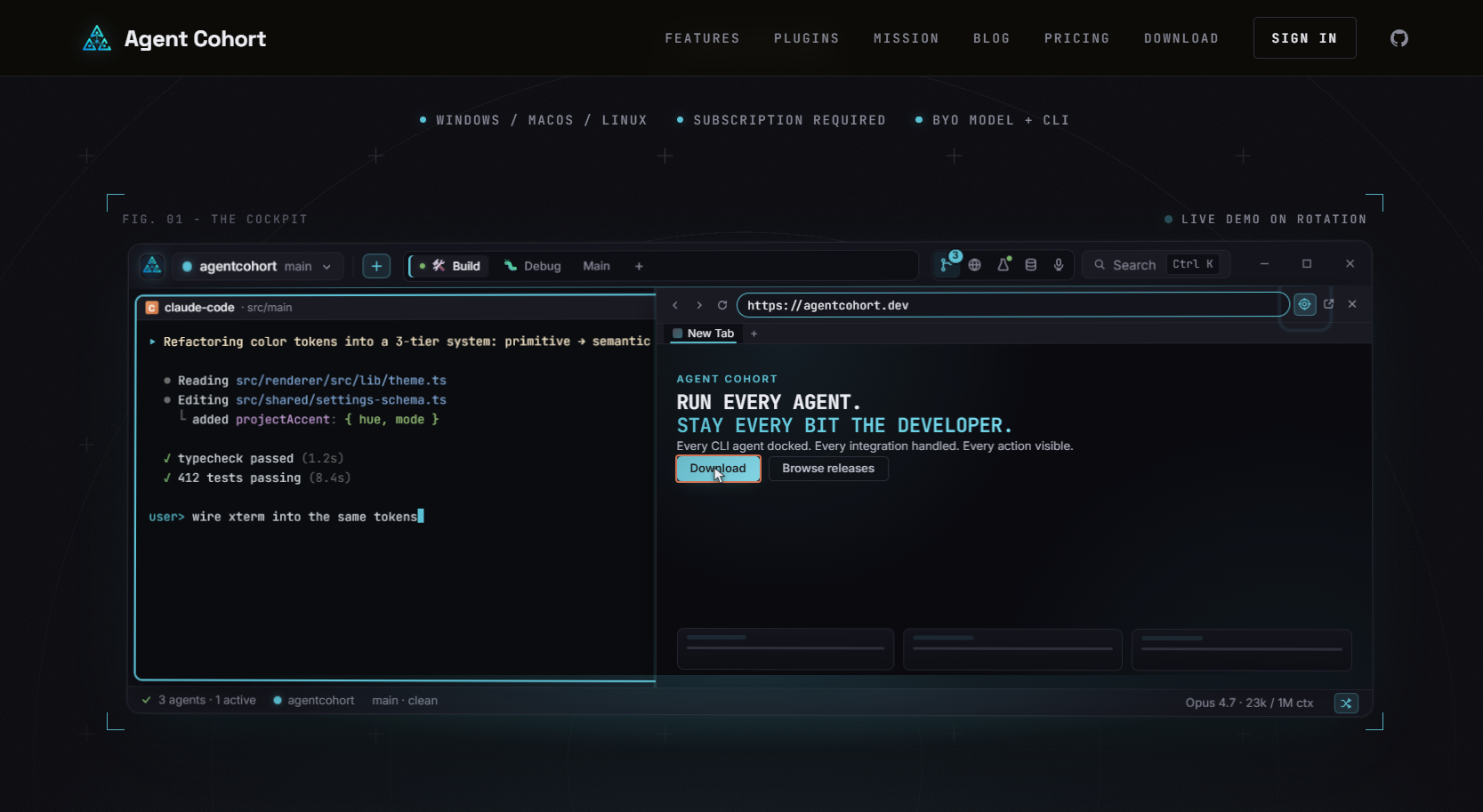
Agentcohort integrates Claude Code, OpenAI Codex, and other agents into a single multi-terminal grid where each project runs in its own isolated environment. Session persistence, customizable layouts, and automatic setup handling (installations, authentication) mean teams spend time on workflow logic, not environment configuration. If you want to see whether the architecture described in this article fits your team's setup, explore the platform and decide for yourself. There is a DIY path to everything covered here. Agentcohort is just the version built by someone who already hit every wall.
FAQ
What is team-based AI tooling?
Team-based AI tooling is the practice of orchestrating multiple specialized AI agents within a shared workflow architecture to coordinate tasks and multiply team output. It differs from single-tool AI use by introducing role specialization, controlled handoffs, and centralized workflow ownership.
How do small teams scale with AI tooling?
Small lean teams achieve 3–5x productivity gains by running focused 30-day pilots on high-frequency workflows before expanding. The key is assigning a dedicated workflow owner and treating AI as infrastructure rather than a collection of disconnected apps.
What are the main failure modes in multi-agent AI systems?
The most common failure modes are context bleeding, handoff loops, lost messages, conflicting state, and specialization collapse. Deterministic handoff protocols, schema validation, and recursion limits prevent most of these issues in production systems.
Do you need coding skills to build AI workflows?
No-code tools like Make and Zapier handle the trigger and connector layers without requiring code. However, building stable workflows still requires a structured mindset around data mapping and conditional logic, even without writing a single line of code.
What is the best starting point for AI tooling in a startup?
Start with one workflow that is high-frequency and close to a revenue outcome. Run a 30-day pilot, measure the before and after, assign a workflow owner, and stabilize before expanding. Adopting multiple tools before mastering one is the fastest path to fragmented, unmaintainable systems.