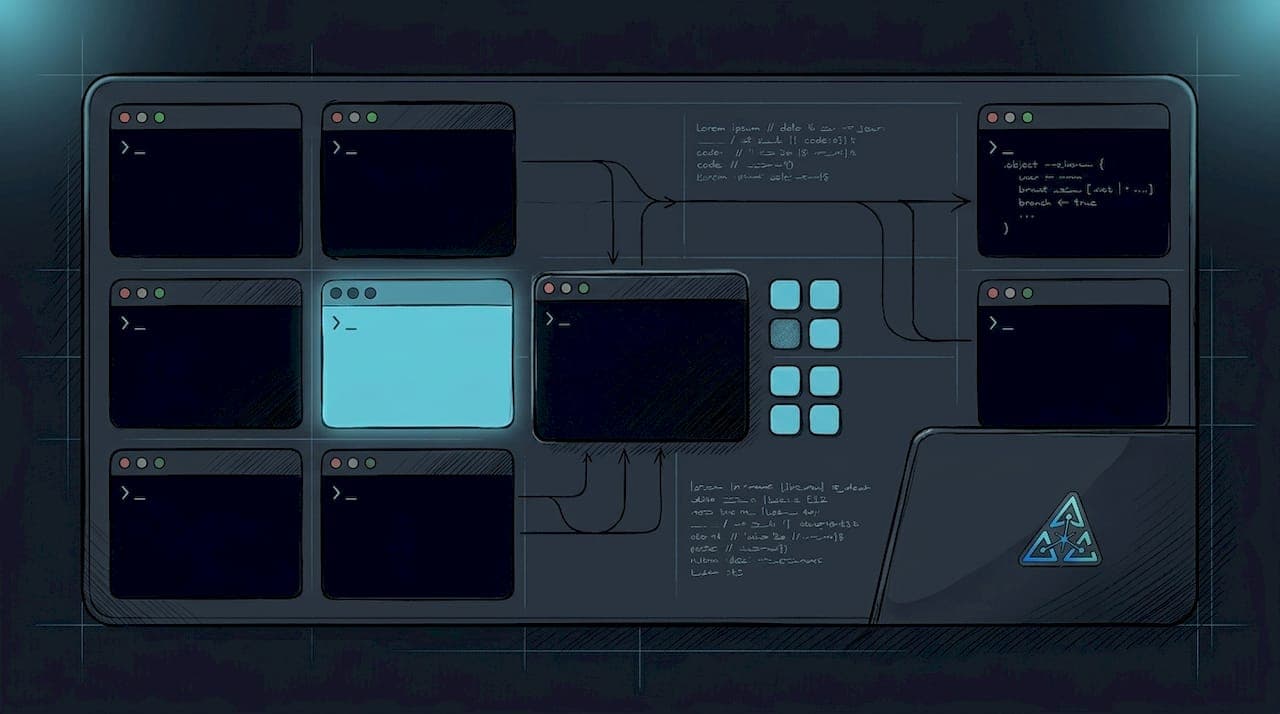
A multi-agent development workflow is a system where specialized AI agents collaborate through structured task plans to execute complex software projects faster than any single agent can alone. The industry term for this architecture is "multi-agent orchestration," and it sits at the center of how serious engineering teams are building software in 2026. Most teams I talk to are still running one agent at a time, treating it like a faster autocomplete. That is the wrong mental model. The real leverage comes from parallel execution, strict role separation, and verification layers that most tutorials skip entirely. These multi-agent development workflow examples will show you what production systems actually look like.
1. What are the core multi-agent development workflow examples in production?
The standard production architecture uses a leader-worker setup with up to 6 coding agents, 2 DevOps agents, and 4 review agents. That ratio is not arbitrary. Coding agents outnumber review agents because generation is cheap. Verification is the bottleneck.
The leader agent, typically running a more capable model for planning, breaks a feature request into a structured task plan. Worker agents receive individual tasks with focused context windows. They do not share a conversation history. They share a task queue.
Communication between agents happens through shared message queues or a central state store, not direct agent-to-agent calls. This matters because direct calls create tight coupling. Tight coupling means one crashed agent stalls the whole pipeline.
| Agent Role | Count | Primary Responsibility |
|---|---|---|
| Coding agents | 6 | Feature implementation, unit tests |
| DevOps agents | 2 | CI/CD, environment setup |
| Review agents | 4 | Code review, security checks |
| Leader agent | 1 | Planning, task decomposition |
Agent specialization is what separates a toy demo from a production system. A DevOps agent that also writes feature code is an agent with an identity crisis. Keep roles narrow.
2. How a six-step cycle handles feature implementation
Feature development in a well-designed multi-agent environment follows a six-step cycle: context gathering, planning, sub-agent test-driven development (TDD), manual review, AI review, and QA. Each step has a defined input and a defined output. No step is optional.
The planning step produces a structured document. In real production deployments, that document runs over 1,000 lines and gets broken into 13 parallel tasks for sub-agents. Each sub-agent gets only the context it needs for its task. Clean context windows prevent agents from confusing earlier decisions with current constraints.
Sub-agent TDD is the step most teams skip. Each coding agent writes the test first, then writes the implementation to pass it. This is not a philosophical stance on software quality. It is a practical constraint that forces the agent to define success before writing code. Agents that skip TDD produce code that looks correct and fails in ways that are hard to trace.
Pro Tip: Break your planning document into tasks small enough that each sub-agent can complete its work in a single context window. If a task requires the agent to "remember" something from three steps ago, the task is too large.
Manual review sits between AI-generated code and AI review deliberately. A human checkpoint at that stage catches the class of errors that AI reviewers are trained to miss because they share the same blind spots as the generating model.
3. Orchestrating shared state with MCP servers
State management is the part of multi-agent architecture that nobody wants to talk about until something breaks at 2 AM. Production multi-agent environments use at least 6 MCP servers to provide a shared context graph across all agents. Over 500 MCP servers are available for integration in 2026. That number sounds impressive. Most of them are not production-ready.
The six server categories that matter are: memory, filesystem access, GitHub integration, task queue management, logging, and cost tracking. Each serves a distinct function. Collapsing two functions into one server is how you get debugging sessions that last longer than the feature took to build.
The Model Context Protocol (MCP) standard defines how agents read and write to shared memory without stepping on each other's state. Think of it as a contract. Every agent agrees to read context before acting and write results after completing. Agents that skip the read step produce work that conflicts with parallel agents.
Just-in-time instruction loading prevents context overflow. Instead of loading the entire workflow specification at session start, agents load only the relevant section for their current step. A review agent does not need the DevOps deployment instructions. Loading them anyway wastes tokens and degrades reasoning quality.
Pro Tip: For teams exploring AI-assisted development environments, start with three MCP servers: memory, filesystem, and GitHub. Add cost tracking before you add anything else. Runaway agent loops are expensive.
Safety hooks act as circuit breakers around agent commands. Production deployments use up to 10 hooks across critical event points. These are shell scripts that run before and after agent actions, enforcing least privilege and blocking destructive operations. An agent that can delete files it did not create is an agent that will eventually delete the wrong files.
4. Static graphs vs. dynamic DAGs: which orchestration model wins?
The honest answer is: it depends on how much you trust your planning agent. Goal-driven frameworks build task DAGs dynamically at runtime, adapting to what they discover during execution. Declarative static graphs require you to wire every dependency upfront.
Static graphs are predictable. You can audit them, test them, and explain them to a compliance team. Dynamic DAGs are flexible. They handle tasks where the full scope is not known at the start, which describes most real feature requests.
The failure mode for static graphs is brittleness. One unexpected dependency and the whole graph stalls. The failure mode for dynamic DAGs is scope creep. An agent that can spawn new tasks can also spawn tasks that were never requested.
Delegation hard-stops are not optional in production. Every agent must have a defined boundary for what it can delegate and to whom. Without hard-stops, a coding agent will eventually decide it also needs to rewrite the database schema. Agents re-read workflow diagrams before each step to enforce these boundaries.
Mandatory workflow diagrams embedded in agent instructions enforce step compliance. Agents that skip steps or attempt to handle tasks outside their role get caught at the next checkpoint. This is not elegant. It is necessary.
Git worktrees solve the environment isolation problem without container overhead. Each agent gets its own git branch in the same repository folder. Agents work in parallel without interfering with each other's file state. Containerization is heavier and slower for this use case.
5. What production harness layers actually require
A demo pipeline chains LLM calls together and calls it a multi-agent system. A production system is different in one critical way: it handles failure. Production multi-agent systems require dedicated harness layers for state persistence, crash recovery, and cost enforcement.
State persistence means that if an agent crashes mid-task, the next agent that picks up the task knows exactly what was completed and what was not. Without persistence, crash recovery means starting the task over. Starting over is expensive and slow.
Cost enforcement is the harness layer that most teams add after their first surprise invoice. An agent loop with no cost ceiling will run until the task is complete or the account balance hits zero. Set hard limits per task, per session, and per day. Treat cost enforcement as a safety feature, not an accounting detail.
Verification checklists after each subtask completion close the loop between generation and validation. The checklist is not a suggestion. It is a gate. A subtask that does not pass its checklist does not advance to the next step. This is the VERIFICATION layer that most agent tutorials skip entirely.
Key takeaways
Multi-agent development workflows succeed when verification is treated as a first-class concern, not an afterthought to generation.
| Point | Details |
|---|---|
| Leader-worker architecture | Use a planning agent to decompose tasks and specialized worker agents to execute them in parallel. |
| Six-step feature cycle | Context, planning, TDD, manual review, AI review, and QA are all required steps, not optional ones. |
| MCP servers for shared state | Deploy at least 6 MCP servers covering memory, filesystem, GitHub, queues, logging, and cost tracking. |
| Git worktrees over containers | Worktrees give each agent branch isolation without the overhead of full containerization. |
| Harness layers are non-negotiable | State persistence, crash recovery, and cost enforcement separate production systems from demos. |
What I got wrong before I got it right
I spent six months convinced that the hard part of multi-agent orchestration was generation quality. Get a better model, write better prompts, ship faster. That was wrong. Generation is largely solved. VERIFICATION is not.
The first production system I built at Agentcohort had beautiful parallel execution and terrible review gates. Agents generated code at impressive speed. The review agents approved most of it because they shared the same reasoning patterns as the generating agents. We shipped bugs that a junior developer would have caught in five minutes.
The fix was not a better model. It was a structured verification checklist that ran independently of the generating agent's context. Separate context, separate judgment. That single change reduced review-stage defects more than any model upgrade we tried.
My honest advice for teams starting out: do not build the orchestration layer first. Build the verification layer first. Know exactly how you will catch a wrong answer before you build the system that generates thousands of answers per hour. The teams that skip this step spend the next three months debugging in production instead of shipping features.
DIY teams can absolutely implement everything in this article without Agentcohort. The MCP server setup, git worktrees, safety hooks, and harness layers are all open standards and open-source tools. The cost is engineering time. Budget four to six weeks for a team of two to get a production-grade system running reliably.
— Ben
Agentcohort's developer command deck for multi-agent teams
Teams that want the architecture described in this article without building the harness layer from scratch have one option worth considering.
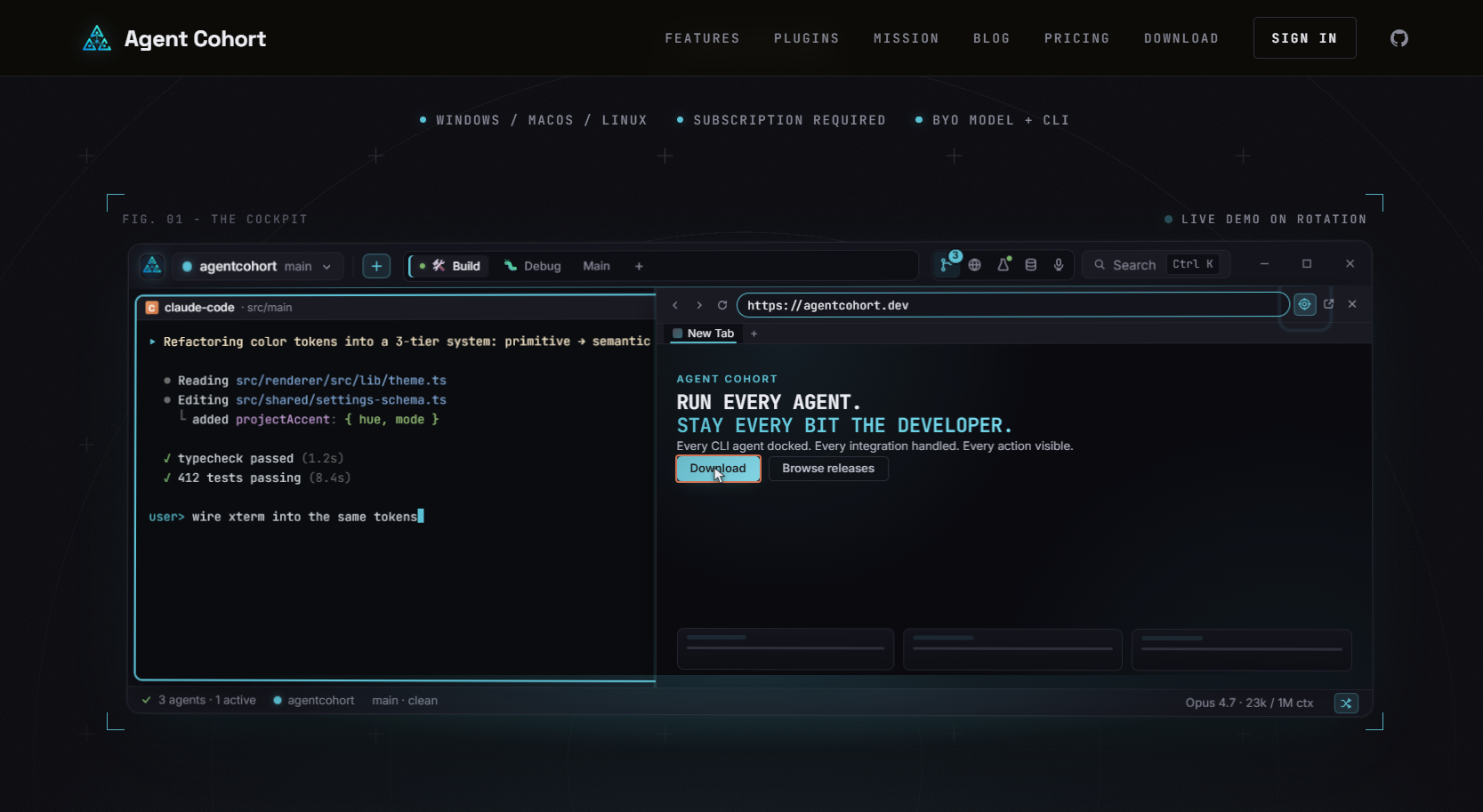
Agentcohort integrates Claude Code, OpenAI Codex, and other agents into a single multi-terminal grid where each project runs in its own dedicated environment. Session persistence, automatic authentication, and customizable layouts are built in. The platform handles the infrastructure that takes most teams weeks to wire together manually, so your engineers spend time on features instead of plumbing. If the architecture in this article describes where you want to go, Agentcohort is one way to get there without the six-week detour.
FAQ
What is a leader-worker multi-agent architecture?
A leader-worker architecture uses one planning agent to decompose a task and multiple specialized worker agents to execute subtasks in parallel. The standard production setup uses up to 6 coding agents, 2 DevOps agents, and 4 review agents.
How many MCP servers does a production multi-agent system need?
Production environments require at least 6 MCP servers covering memory, filesystem, GitHub integration, task queues, logging, and cost tracking. Fewer than six typically means two functions share one server, which creates debugging complexity.
Why use git worktrees instead of containers for agent isolation?
Git worktrees give each agent its own branch within the same repository folder, providing isolation without the resource overhead of full containerization. This approach is faster to set up and lighter on compute for parallel agent workloads.
What is the biggest mistake teams make with multi-agent workflows?
Teams consistently prioritize generation speed over verification quality. Building a structured verification checklist and independent review gates before scaling agent count is the single most effective reliability improvement available.
How does test-driven development work at the sub-agent level?
Each coding sub-agent writes the test for its assigned task before writing the implementation. This forces the agent to define a measurable success condition upfront, which reduces the class of errors that only appear during integration testing.