
title: "Best omniide.com Alternatives for Developers in 2026" slug: "omniide-com-alternatives-2026" meta_description: "I've shipped code in six IDEs and watched two die mid-sprint. Here's the honest 2026 breakdown of omniide.com alternatives before you commit." author: Ben Dol tags: [developer-tools, IDE, omniide, alternatives, AI-agents, 2026] status: publish
What are the top omniide.com alternatives right now?
Generation is solved. VERIFICATION is not. Every IDE on this list can write code. None of them reliably tells you when that code is wrong. I've burned three sprints learning that the hard way, so let me save you the same tuition.
OmniIDE is a genuinely interesting project. Built on a VS Code core, it pulled 15,795+ GitHub clones in its first 14 days, runs a hardened sandbox, and integrates Google Gemini with local Ollama for hybrid AI execution. But it's Windows-only as of early 2026, single-contributor, and unfunded. If your team runs macOS or Linux, you need something else today.
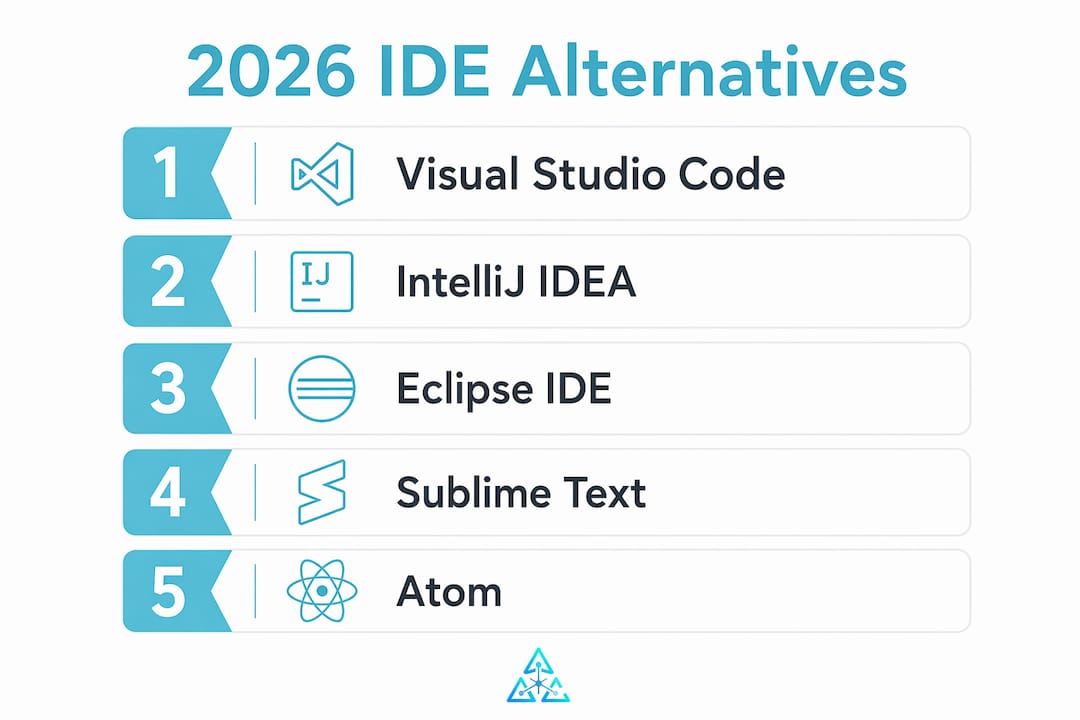
Here are the five alternatives worth your time:
- Visual Studio Code: Free, open-source, runs on Windows, macOS, and Linux. The largest plugin ecosystem of any editor alive. If you're undecided, start here.
- JetBrains IntelliJ IDEA: Commercial IDE with a free Community edition. Best-in-class code analysis for JVM languages, deep version control integration, and real collaboration tooling.
- Eclipse IDE: Free, open-source, cross-platform. Mature plugin architecture favored in enterprise Java shops and academic environments.
- Sublime Text: Paid license, no subscription. Lightweight, fast, and honest about what it is: an editor, not an IDE. Excellent for developers who hate waiting.
- Atom: Open-source, hackable, and technically still available in 2026. Official support has wound down, so adopt it only if you're comfortable owning your own maintenance.
How do these omniide alternatives actually compare?
The 2026 developer tool market shows rising demand for developer-owned infrastructure without recurring fees. That pressure shapes every choice below.

| Tool | Platform support | Language support | Pricing model | Extensibility | Collaboration features | Best for |
|---|---|---|---|---|---|---|
| Visual Studio Code | Win, macOS, Linux | Broad (all major) | Free, open-source | Massive extension marketplace | Live Share, remote dev | Most developers |
| JetBrains IntelliJ IDEA | Win, macOS, Linux | JVM-first, broad | Free Community; paid Ultimate | Rich plugin ecosystem | Code With Me, team tools | Professional JVM teams |
| Eclipse IDE | Win, macOS, Linux | Java, C++, broad | Free, open-source | Mature plugin architecture | Limited built-in | Enterprise Java |
| Sublime Text | Win, macOS, Linux | Broad via packages | One-time license | Package Control | Minimal | Solo speed editing |
| Atom | Win, macOS, Linux | Broad via packages | Free, open-source | Community packages | Teletype (deprecated) | Customization hobbyists |
Visual Studio Code sits at the top of this list for a reason that has nothing to do with hype. Its extension marketplace covers everything from Rust to Terraform, and Microsoft's Live Share turns a solo editor into a real-time pair-programming environment without a separate subscription. The open-source licensing means no surprise invoices.
JetBrains IntelliJ IDEA earns its price tag through code analysis that catches errors before you run anything. The Community edition covers Kotlin and Java at no cost. The Ultimate edition adds Spring, databases, and a full suite of web frameworks. Teams already in the JVM world rarely leave once they've used the refactoring tools.
Eclipse IDE has a reputation for feeling heavy, and that reputation is partly earned. The flip side: its plugin architecture is genuinely mature, and enterprise shops running Java 17 or C++ have decades of community knowledge to draw from. It's free, cross-platform, and not going anywhere.
Sublime Text is the honest outlier. It doesn't pretend to be an IDE. You pay once, you get a fast editor that opens a 50MB log file without flinching, and you extend it through Package Control when you need more. No collaboration features worth naming, but that's not why anyone buys it.
Atom deserves a candid word. GitHub archived the official repository in december 2022, and the community fork at atom-editor.cc carries the project forward. If you adopt it in 2026, you're betting on community maintenance. Some teams are comfortable with that. Most aren't.
Pro Tip: Before committing to any of these as an omniide replacement, check whether the tool's sandbox or agent autonomy settings match your security policy. Migrating between IDEs often surfaces hidden path boundary issues: an autonomous agent that writes files freely in one environment may hit hard permission walls in another, breaking deployments silently.
How do you choose the right IDE for your workflow?
The wrong question is "which IDE is most popular?" The right question is "what does my workflow actually punish me for?" I've watched teams pick VS Code because everyone else uses it, then spend two weeks configuring extensions that IntelliJ IDEA ships configured out of the box.
Start with your primary language. If it's Kotlin, Scala, or Java at scale, IntelliJ IDEA's static analysis alone justifies the cost. If you work across five languages in a single week, Visual Studio Code's breadth wins. Eclipse makes sense when your organization already has a plugin investment or a Java-heavy codebase that predates 2015.
Consider your team size and collaboration needs. Visual Studio Code's Live Share and IntelliJ IDEA's Code With Me both support real-time editing, but they work differently. Live Share is browser-accessible and requires no IDE installation on the guest side. Code With Me keeps the full IDE experience for both participants. For distributed teams, that distinction matters at 2 AM when someone's debugging a production issue.
Pricing constraints are real, especially for solo developers and small shops. The open-source and community-driven options, Visual Studio Code and Eclipse, carry no licensing risk. Sublime Text's one-time license is a fair trade for developers who hate subscription math. IntelliJ IDEA's annual subscription is defensible for professional teams but hard to justify for a side project.
Check version control integration before you decide. Every tool on this list supports Git, but the depth varies. IntelliJ IDEA's built-in Git tooling shows blame, history, and merge conflicts in a single panel without a plugin. Visual Studio Code does the same through GitLens, which is free but requires installation and configuration. Eclipse's EGit plugin works but feels like it was designed by committee. For CI/CD pipeline integration, Visual Studio Code and IntelliJ IDEA both have first-class GitHub Actions and Jenkins extensions.
Extensibility is a long-term bet, not a day-one feature. Visual Studio Code's marketplace has the largest active extension count of any editor. IntelliJ IDEA's plugin ecosystem is smaller but more curated. Eclipse's plugin architecture is the oldest and most stable. Atom's community packages are maintained by volunteers with no guarantee of updates.
Why I built something different after trying all of these
I'll flag the bias upfront: I'm the founder of Agentcohort, and I built it because I kept hitting the same wall across every IDE on this list. The wall isn't feature gaps. The wall is FRAGMENTATION. You run Claude Code in one terminal, OpenAI Codex in another, and you lose track of which agent touched which file twenty minutes ago.
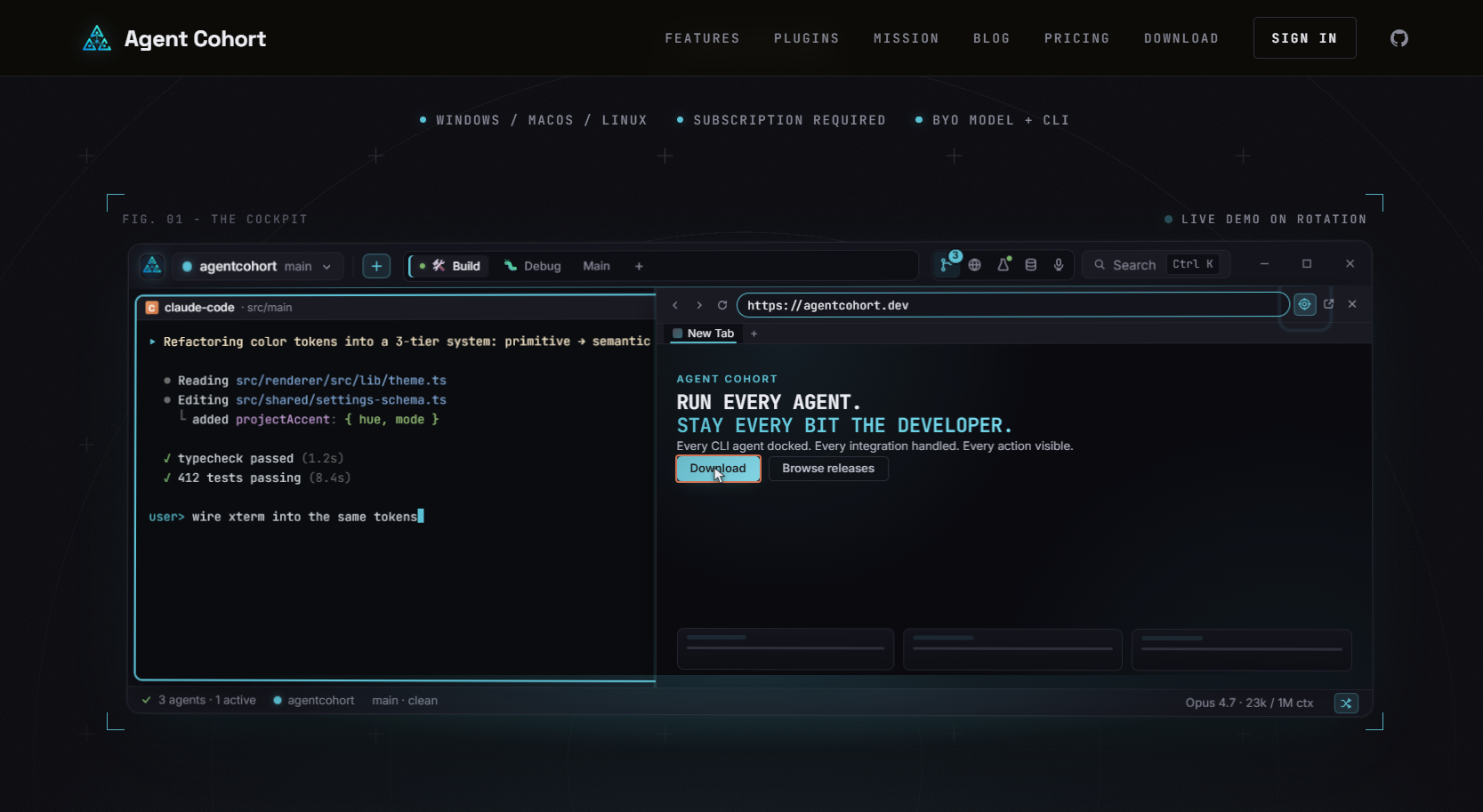
Agentcohort isn't an IDE. It doesn't replace Visual Studio Code or IntelliJ IDEA. It's a multi-terminal grid where each project gets its own dedicated environment, and every AI agent action stays visible and auditable. Session persistence means you don't lose context when you close a tab. Automated setup handles installations and authentication so you're not configuring the same environment twice. The developer workspace platform integrates Claude Code and OpenAI Codex side by side, which is something no traditional IDE was designed to do.
If you want a traditional IDE, the five options above are the honest answer. If you're running multiple AI agents and losing track of what they're doing, that's the problem Agentcohort was built from scars to solve. You can also build your own multi-agent grid with tmux and shell scripts. I did that first. It works until it doesn't.
The best tool is the one you can still trust at 11 PM when the agent has write access to your production config.
Key Takeaways
Visual Studio Code is the strongest default omniide.com alternative for most developers in 2026, with IntelliJ IDEA leading for JVM-focused professional teams.
| Point | Details |
|---|---|
| OmniIDE's core limitation | Windows-only as of early 2026, single-contributor, unfunded, which makes cross-platform teams look elsewhere immediately. |
| VS Code leads on breadth | Free, open-source, runs on all major platforms, and carries the largest active extension marketplace of any editor. |
| IntelliJ IDEA leads on depth | Best code analysis and refactoring for JVM languages; Community edition is free, Ultimate is subscription-based. |
| Pricing model matters | Eclipse and VS Code carry no licensing risk; Sublime Text offers a one-time purchase; Atom is free but community-maintained with no official backing. |
| Agentcohort fills a different gap | For teams running multiple AI agents, Agentcohort provides a unified multi-terminal workspace with session persistence and auditable agent actions. |