
OpenAI Codex is defined as an autonomous AI software engineering agent that writes, tests, and iterates code across entire projects, not just individual lines. For engineers asking what is OpenAI Codex for engineers, the answer is sharper than most articles admit: Codex is a teammate you delegate to, not a smarter autocomplete. It handles multi-file edits, runs terminal commands, reads compiler errors, and loops until the task is done. The real question is not whether it can code. The question is whether you can review what it produces.
What is OpenAI Codex for engineers, really?
Generation is solved. VERIFICATION is not. That is the thesis I keep coming back to after watching teams adopt Codex and immediately misuse it.
Most engineers hear "AI coding agent" and picture a faster autocomplete. Codex is something structurally different. It operates as an autonomous agent capable of independently handling feature implementation, bug fixing, and refactoring by reading project files, executing terminal commands, and iterating until a task is complete. That last part matters. Codex does not wait for you to approve each line. It runs.
The standard industry term for what Codex does is "agentic AI coding." The phrase "AI code assistant" still describes tools that respond to prompts one exchange at a time. Codex operates in an agentic loop: it receives a task, writes code, runs tests, reads the failure output, and rewrites until the tests pass. That loop is the technical breakthrough separating it from earlier AI coding tools.
Engineers who treat Codex like a chatbot get mediocre results. Engineers who treat it like a junior developer they can assign a GitHub issue to, and then review the pull request, get real productivity gains.
How does OpenAI Codex work under the hood?
The four surfaces Codex runs on
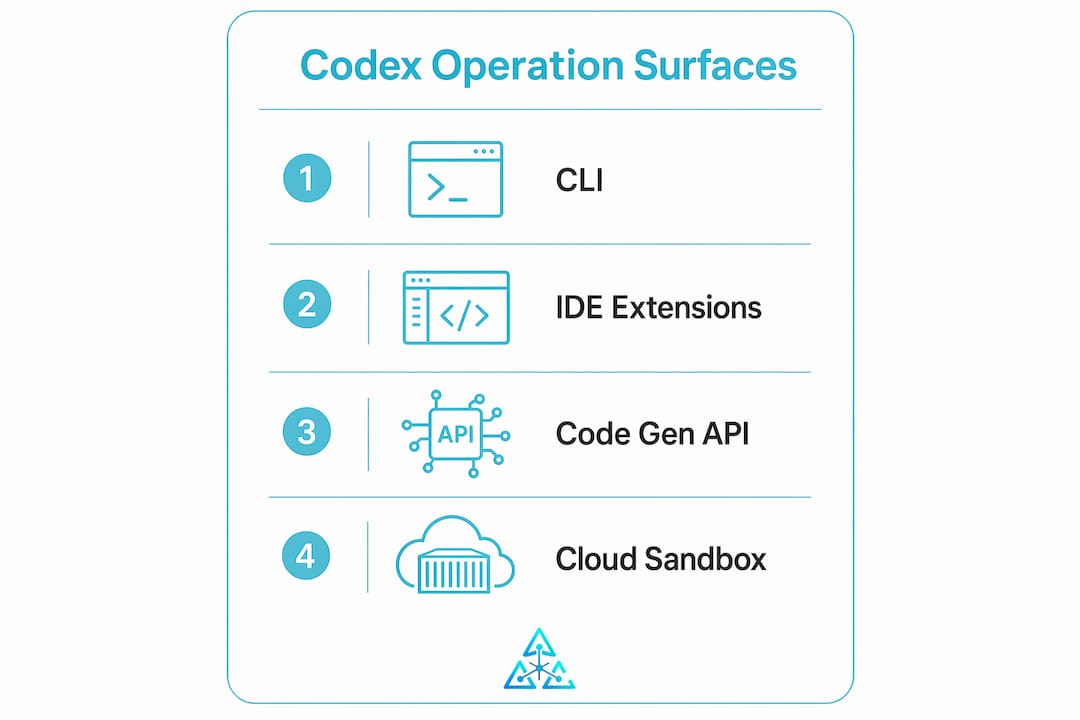
Codex operates on four primary surfaces: the CLI for terminal-based local workflows, IDE extensions for VS Code and Cursor, a desktop app for multi-agent orchestration, and Codex Cloud for asynchronous task execution. Each surface fits a different part of the engineering workflow. The CLI suits engineers who live in the terminal. IDE extensions suit those who want inline suggestions with more autonomy. Codex Cloud suits teams running tasks in the background while they focus elsewhere.
The agentic loop and sandbox execution
The core technical pattern is the agentic loop. Codex treats compiler errors and test failures as input data for subsequent code improvements, enabling autonomous refinement until the task succeeds. This self-correcting behavior reduces debugging overhead in complex codebases. It is not magic. It is a structured feedback cycle that mirrors what a disciplined engineer does manually, just faster.
Security is handled through isolation. Codex Cloud tasks execute in isolated containers preloaded with the developer's repository, with no network access during execution. Containers are torn down after each task completes. This prevents environment drift and stops one task from contaminating another.
Parallel execution with Git worktrees
Codex uses Git worktrees to isolate tasks, allowing multiple changes to proceed in parallel without branch conflicts. You can assign five separate bug fixes simultaneously and each one runs in its own isolated copy of the repo. That is a genuine throughput multiplier for teams.
| Capability | How it works | Engineering benefit |
|---|---|---|
| Agentic loop | Reads test output, rewrites code, reruns | Reduces manual debugging cycles |
| Sandboxed containers | Isolated repo copy, no network access | Prevents security and drift issues |
| Git worktrees | Separate repo copies per task | Enables true parallel task execution |
| Execution traces | Full log of files read, commands run, decisions made | Transparent review for human engineers |
Pro Tip: Set up your CI test suite before delegating tasks to Codex. The agentic loop is only as good as the tests it runs against. No tests means Codex has no signal to iterate on.
How is Codex different from traditional code completion tools?
The honest answer is that the difference is not about code quality. It is about who is driving.
Traditional autocomplete tools, and even most chat-based AI assistants, require you to stay in the loop at every step. You write a prompt, review the suggestion, accept or reject it, write the next prompt. The engineer is the driver. The AI is the passenger. Shifting to Codex means delegating work and reviewing outputs rather than interacting line by line. The engineer becomes the reviewer. The AI is the driver.
That shift sounds small. It is not. It requires a completely different discipline.
With chat-based tools, a vague prompt produces a mediocre suggestion you can ignore. With Codex, a vague task description produces a completed pull request full of confident, plausible-looking code that may be wrong in subtle ways. The cost of a bad prompt is much higher. Human engineering judgment remains essential for security, production readiness, and business context. Codex does not know your compliance requirements. It does not know your architecture decisions from three years ago. You do.
The engineers who get the most from Codex treat it like onboarding a capable contractor. They write clear task specs. They define acceptance criteria. They review the diff with the same rigor they would apply to any team member's pull request.
Pro Tip: Write task descriptions the way you would write a GitHub issue for a new hire: include the expected behavior, the files likely involved, and the test that should pass when the task is done.
What practical benefits does Codex offer development teams?
Speed across the full development cycle
Codex accelerates every phase of software development, not just writing new features. Bug fixing, refactoring, writing tests, and updating documentation all benefit from agentic execution. A task that takes an engineer two hours of focused work can often be delegated to Codex while that engineer handles architecture decisions or code review for other work.
The parallelism benefit is real. Because each task runs in an isolated container, teams can run multiple Codex tasks simultaneously without interference. A team of five engineers can have fifteen tasks running in parallel. That is a throughput model that was not available before agentic tools.
Onboarding and codebase comprehension
Codex handles codebase Q&A well. New engineers on a team can ask Codex to explain a module, trace a data flow, or summarize why a particular pattern exists. This reduces the time senior engineers spend on onboarding questions and lets new team members get productive faster.
Integration with existing CI and PR workflows
Codex integrates with GitHub workflows, producing pull requests that go through the same review process as any human-authored code. Each task produces full execution traces including files read, commands run, tests executed, and decisions made. That audit trail is what makes Codex output trustworthy enough to review seriously rather than rubber-stamp or reject outright.
For teams already using AI code review tools, Codex fits naturally into the delegate-and-review workflow. The output is a diff. The review process is the same. The speed is different.
What challenges should engineers know before adopting Codex?
The scoping problem
Codex works best on tasks that are small, clear, and testable. A task like "fix the null pointer exception in the user authentication module, confirmed by the existing unit tests" is a good Codex task. A task like "improve the codebase" is not. Vague scope produces confident-sounding code that solves the wrong problem.
The discipline of writing small, well-scoped tasks is actually a forcing function for better engineering. Teams that adopt Codex well often find their task management and specification practices improve as a side effect.
Security and production readiness
AI agents accelerate engineering but do not replace human judgment. Security vulnerabilities, edge cases in business logic, and production performance concerns require human review. Codex does not know that your authentication system has a specific compliance requirement. It does not know that a particular database query pattern causes timeouts under load. Review every diff with security in mind.
Maintaining consistency with AGENTS.md
AGENTS.md files allow engineers to maintain project-specific instructions and style guides that Codex references across sessions. Think of it as a persistent project playbook for the AI. Without it, Codex will make reasonable but inconsistent choices about naming conventions, error handling patterns, and code structure. With it, the output is far more consistent and requires less cleanup during review.
Pro Tip: Treat your AGENTS.md like a living document. Update it every time Codex makes a choice you have to correct. Over time it becomes a precise spec of your team's engineering standards.
- Write small, testable task descriptions with explicit acceptance criteria.
- Maintain an AGENTS.md file with project conventions and style rules.
- Review every Codex pull request with the same rigor as human-authored code.
- Never skip security review on authentication, authorization, or data handling changes.
- Use sandboxed execution and restrict network access during task runs.
How do you integrate Codex into existing developer workflows?
Getting Codex into your workflow is less about installation and more about workflow redesign. The technical setup is straightforward. The mindset adjustment takes longer.
- Choose your primary surface. Start with the IDE extension if your team works in VS Code or Cursor. It provides the lowest friction entry point. Move to Codex Cloud for background task execution once your team is comfortable reviewing AI-generated pull requests.
- Set up your test suite first. Codex's agentic loop depends on tests to iterate against. A codebase with no tests gives Codex no feedback signal. Invest in test coverage before delegating tasks.
- Create your AGENTS.md file. Document your project's naming conventions, error handling patterns, preferred libraries, and any architectural constraints. This file is the single most impactful configuration step for output quality.
- Start with low-risk tasks. Bug fixes with clear reproduction steps and existing test coverage are ideal first tasks. Avoid delegating security-sensitive features until your team has calibrated its review process.
- Build a review checklist. Treat Codex output like a pull request from a capable but context-limited engineer. Check for security issues, edge cases, and alignment with architectural decisions the AI could not have known about.
- Scale to parallel workflows. Once your team is comfortable with the review process, use Git worktrees and multi-agent execution to run several tasks simultaneously. This is where the throughput gains become significant.
For teams operating in complex enterprise environments, integrating agentic AI into legacy systems requires additional planning around data access, authentication, and system boundaries. The workflow principles are the same. The integration surface is more complex.
Key Takeaways
OpenAI Codex is an autonomous engineering agent that requires disciplined task scoping, rigorous human review, and proper configuration to deliver reliable results in production software development.
| Point | Details |
|---|---|
| Codex is an agent, not autocomplete | It runs full tasks autonomously using an agentic loop, not line-by-line suggestions. |
| Sandboxed execution protects security | Tasks run in isolated containers with no network access, then return a diff for review. |
| AGENTS.md drives consistency | A project instruction file prevents repeated re-prompting and enforces coding standards. |
| Parallel tasks multiply throughput | Git worktrees let teams run multiple isolated tasks simultaneously without branch conflicts. |
| Human review is non-negotiable | Security, business context, and production readiness require engineer judgment on every diff. |
Generation is solved. Now what?
I have been building software for over 15 years. I have watched every wave of "this will replace engineers" wash in and recede. Codex is different in one specific way: it actually completes tasks. Not suggestions. Tasks. That is new.
But here is what I keep seeing in teams that adopt it fast and loose: they treat the output as correct because it looks correct. Codex writes confident code. It does not write cautious code. It will implement a feature that passes all the tests you gave it and still have a subtle authorization bug that your tests did not cover. The generation is solved. The VERIFICATION is the job now.
The engineers I respect most are the ones who got more rigorous about review after adopting Codex, not less. They write better task specs. They invest in test coverage. They treat every diff as a security surface. That discipline is what separates teams that ship faster from teams that ship faster and then spend three weeks on an incident.
The future of engineering is not "AI writes code, humans approve it." The future is engineers who know how to specify, delegate, review, and integrate at a level of rigor that matches the speed of the tools. That is a higher bar, not a lower one. Most people are not ready for that. The ones who are will be very hard to compete with.
— Ben
Agentcohort: a command deck built for this kind of work
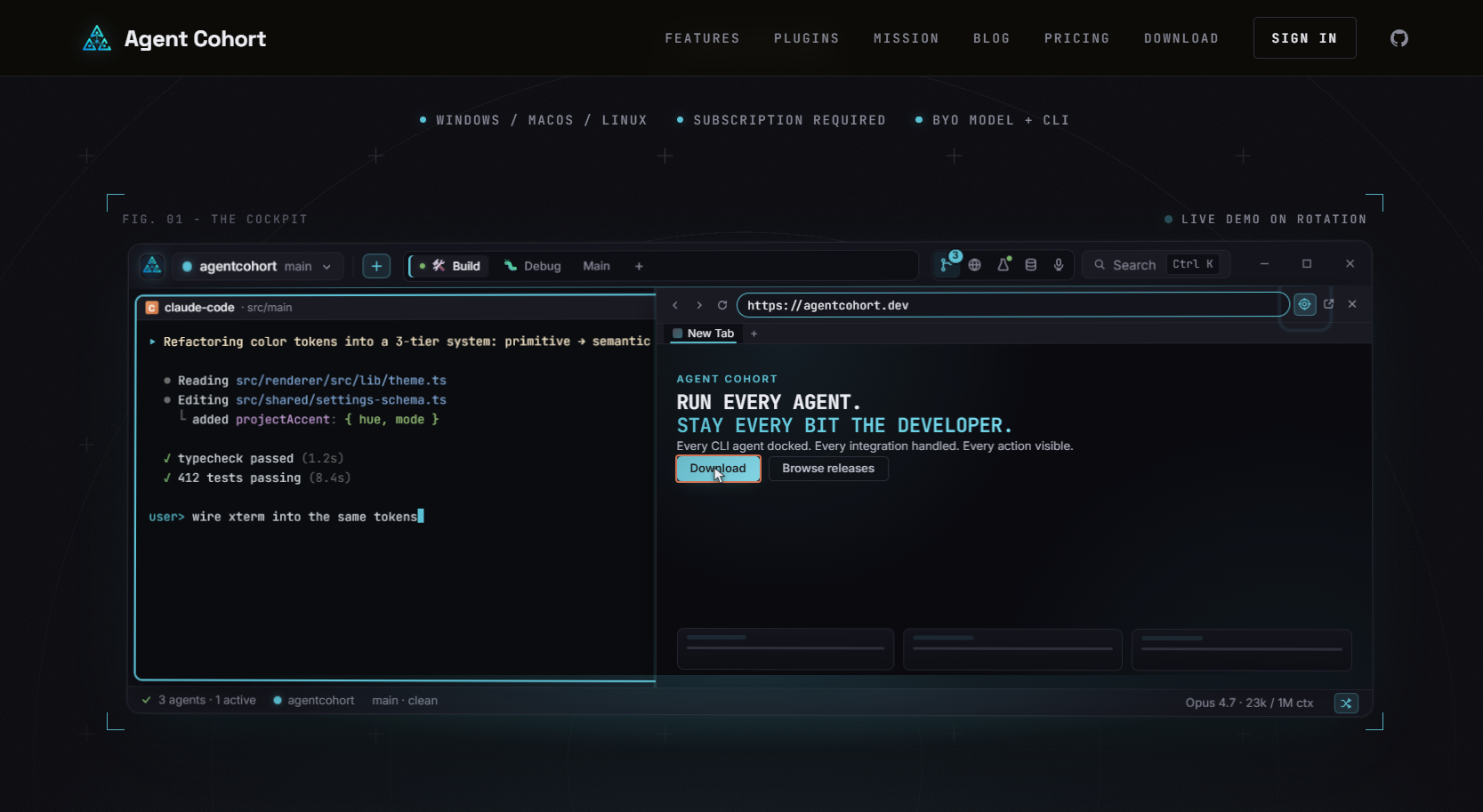
Running multiple Codex tasks in parallel sounds great until you have six terminal windows open, three pull requests in flight, and no clear view of which agent is doing what. That is the problem Agentcohort was built to solve. It provides a multi-terminal grid where each AI agent, including OpenAI Codex and Claude Code, runs in its own dedicated environment with full session persistence and visibility. Agentcohort handles authentication and setup automatically, so your team focuses on reviewing output rather than managing infrastructure. If you are serious about agentic development workflows, it is worth seeing how a structured command deck changes the experience.
FAQ
What is OpenAI Codex?
OpenAI Codex is an autonomous AI software engineering agent that writes, tests, and iterates code across entire projects. It operates through an agentic loop, using compiler errors and test output to refine code until a task is complete.
How does OpenAI Codex differ from AI autocomplete tools?
Autocomplete tools respond to prompts one exchange at a time, requiring constant engineer input. Codex accepts a task description, executes it autonomously, and returns a completed pull request or diff for human review.
Is OpenAI Codex secure to use with production code?
Codex Cloud tasks run in isolated containers preloaded with the repository and without network access. Containers are torn down after each task, preventing environment drift. Human review of every diff remains required for security assurance.
What is an AGENTS.md file and why does it matter?
An AGENTS.md file stores project-specific instructions, style guides, and architectural conventions that Codex references across sessions. It prevents inconsistent output and reduces the need to re-explain project standards with every new task.
What types of tasks is OpenAI Codex best suited for?
Codex performs best on small, clearly scoped tasks with explicit acceptance criteria and existing test coverage. Bug fixes, refactoring, test writing, and feature implementation with defined requirements are ideal use cases.